Measurement Collection Technology
for Today & Tomorrow!

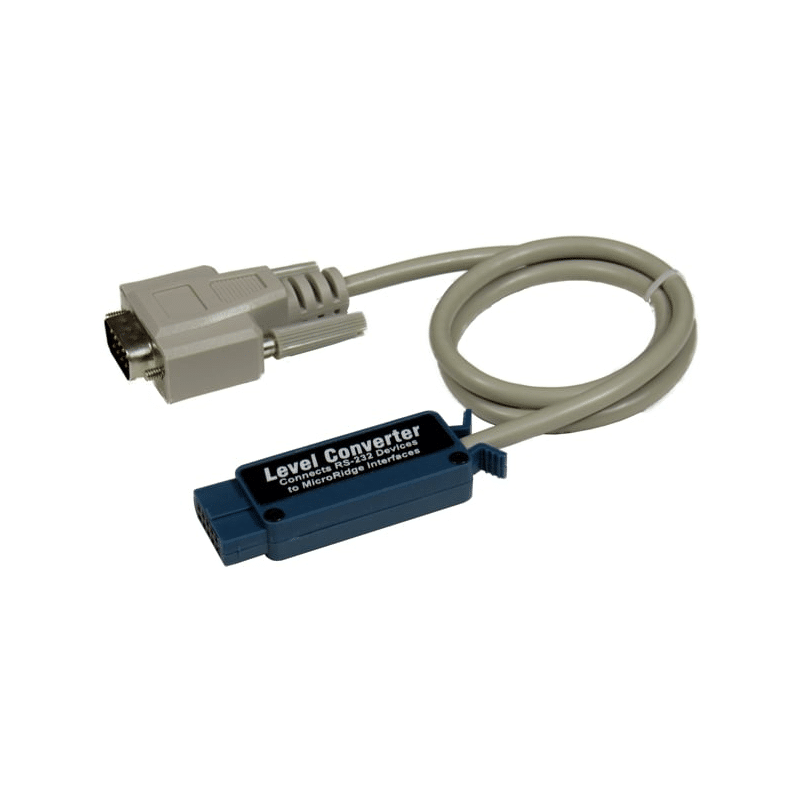
LC Cable
Connects RS-232 Devices to Digital Gage Interfaces


The LC Cable allows you to connect serial devices to the GageWay3, the GageWay5 and the Mx8 interfaces.  The LC Cable can be plugged into any of the front panel ports on the GageWay3 and GageWay5 interfaces.  On the Mx8 interface, the LC Cable is supported on 2 of the 8 ports.  When you use the LC Cable, you must use the interface Setup Program to configure the baud rate and communication parameters.  If you want the baud and communication parameters to be detected and set automatically, you should take a look at the ProCable.

LC Cable

  • Converts the RS-232 voltage levels to acceptable levels that can be used by GageWay3, GageWay5 and Mx8 interfaces.

  • Does not contain any internal processing capabilities, and relies on the RS-232 hardware built into the interface in order to process the incoming RS-232 data.

  • To use the LC Cable, you must define the baud rate and communication parameters in the setup program for the appropriate interface.

  • The length is 24" and contains a 10-pin rectangular connector for plugging into the gage interface, and a DB9 male connector for connection to your serial device.

  • This solution costs $45 and can be used with any serial device.

When to Choose the LC Cable Solution:

For an overview of connecting RS-232 devices to interfaces, refer to RS-232 Connection Options.


 Copyright © 2008 MicroRidge Systems, Inc.
All Rights Reserved.

Revised November 12, 2008