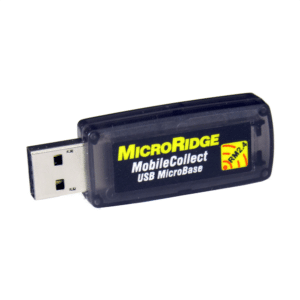
MobileCollect Base Receivers accept measurements from Mobile Module and Remote Transmitters and transfer the measurement to any software application on a PC, PLC, tablet or mobile device. The MicroBase EVO USB A, MicroBase USB C and Wedge Base EVO are Keyboard Wedge
enabled, meaning they can send measurement data to any software application through either Keyboard Wedge or USB Serial Output. The RS-232 Base EVO outputs via both USB Serial and RS-232 Serial via a DB9 connection.
MobileCollect Transmitters are connected directly to the measurement device and transmit data to the Base Receiver. Mobile Modules are battery powered and used when mobility is key. Remotes are USB powered and used when you would like to capture data from stationary devices. Mini Mobile Modules (M3) are the go-to transmitter for digital gages. Command Mobile Modules (DC), RS-232 Remotes and Digital Remotes are used when you want to initiate a gage reading remotely from a Base Receiver or a computer. RS-232 V2 Mobile Modules (V2) and RS-232 Remotes are used to connect RS-232 devices. All MobileCollect Transmitters can be used on the same system!
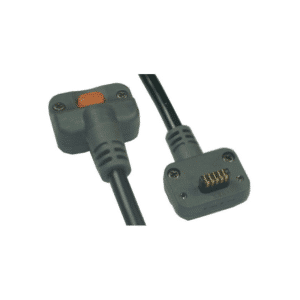
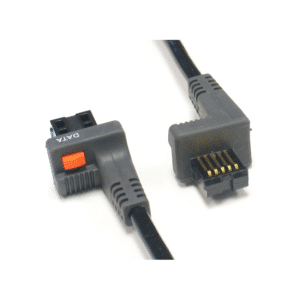
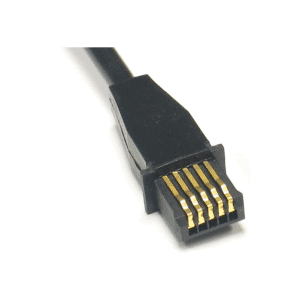
Mobile Module Transmitters and Remote Transmitters need connectors in order to connect to the gage. With the use of custom and modified OEM cables MobileCollect can connect to over 3,500 gages from manufactures including Mitutoyo, Mahr Federal, Ono Sokki, Fowler, INSIZE, Starrett, Sylvac, Ohaus, Mettler Toledo and more!
Below are the compatible connectors for the Mini Mobile Module. These connectors can be replaced in the field.
Below is the 2×3 connector used by the Mini Mobile Module.
Don’t see your brand? Chances are we can support it. Reach out to sales@microridge.com or check out the MobileCollect Selection Tool.
Don’t see the connector you need? MobileCollect supports over 3500 gages, reach out to sales@microridge.com and we’ll figure out what need.
Below are the compatible connectors for the Command Mobile Module. These connectors can be replaced in the field.
Below is the 2×7 connector used by the Command Mobile Modules
Don’t see your brand? Chances are we can support it. Reach out to sales@microridge.com or check out the MobileCollect Selection Tool.
Don’t see the connector you need? MobileCollect supports over 3500 gages, reach out to sales@microridge.com and we’ll figure out what need.
Below are the compatible connectors for the RS-232 Mobile Module. These connectors can be replaced in the field.
Below is the 2×7 connector used by the RS-232 V2 Mobile Modules.
Don’t see your brand? Chances are we can support it. Reach out to sales@microridge.com or check out the MobileCollect Selection Tool.
Below are the compatible interface cables for the RS-232 Remote.
Below are the compatible interface cables for the Digital Remote.
Don’t see the connector you need? MicroRidge supports over 3500 gages, reach out to sales@microridge.com and we’ll figure out what need.
The GageWay Pro interfaces are the fastest, most advanced and configurable interfaces available today. These interfaces support a wide range of digital gages and serial devices from manufacturers including Mitutoyo, Mahr Federal, Ono Sokki, Fowler, Starrett, Sylvac, Ohaus, Mettler Toledo, etc.
GageWay Single Gage Interfaces collect measurement data from Mitutoyo, CDI, Mahr Federal, LMI, Ono Sokki, and other digital gages that output in the Digimatic format.
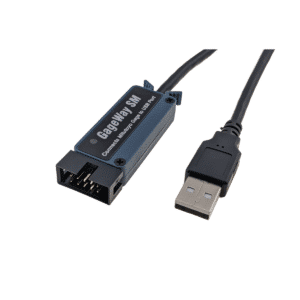
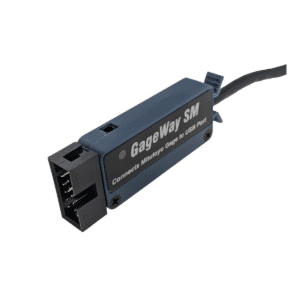
Serial Output: (GageWay SM) is used for software applications that can monitor a COM Port such as SPC programs.
Keyboard Wedge Output: (GageWay KW) is used for applications that require you to type the data in such as Excel.
The GageWay series utilizes both OEM gage cables and custom MicroRidge cables to enable the connection to a wide variety of devices. On the GageWay Pro series this includes RS-232 devices that can be connected to each port via a Level Converter Cable.
This amazing product can turn each port on the GageWay Pro series into a Serial RS-232 gage interface.
Don’t see the connector you need? MicroRidge supports over 3500 gages, reach out to sales@microridge.com and we’ll figure out what need.
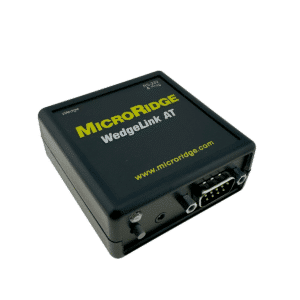
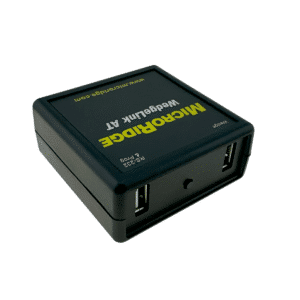
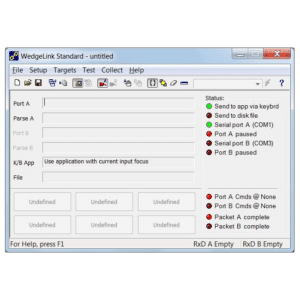
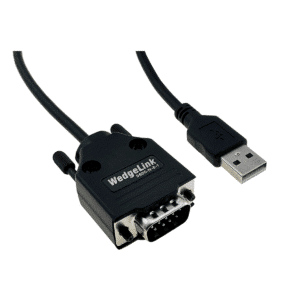
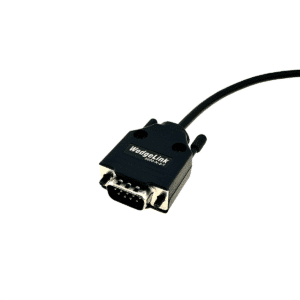
The WedgeLink AT is a user-configurable hardware keyboard wedge that accepts input from any RS-232 device. With the WedgeLink AT, you can transfer RS-232 data into any PC application that accepts keyboard input. Common applications that are used with the WedgeLink AT include Microsoft Excel, Microsoft Access, and Minitab.
The WedgeLink SP is a hardware keyboard wedge that accepts input from RS-232 devices. With the WedgeLink SP, you can transfer RS-232 data into any PC application that accepts keyboard input. Some of the more common applications that are used with the WedgeLink SP include Microsoft Excel, Microsoft Access, etc.
Below are the compatible connectors for the Mini Mobile Module. These connectors can be replaced in the field.
Below is the 2×3 connector used by the Mini Mobile Module.
Don’t see your brand? Chances are we can support it. Reach out to sales@microridge.com or check out the MobileCollect Selection Tool.
Don’t see the connector you need? MobileCollect supports over 3500 gages, reach out to sales@microridge.com and we’ll figure out what need.
Below are the compatible connectors for the Command Mobile Module. These connectors can be replaced in the field.
Below is the 2×7 connector used by the Command Mobile Modules
Don’t see your brand? Chances are we can support it. Reach out to sales@microridge.com or check out the MobileCollect Selection Tool.
Don’t see the connector you need? MobileCollect supports over 3500 gages, reach out to sales@microridge.com and we’ll figure out what need.
Below are the compatible connectors for the RS-232 Mobile Module. These connectors can be replaced in the field.
Below is the 2×7 connector used by the RS-232 V2 Mobile Modules.
Don’t see your brand? Chances are we can support it. Reach out to sales@microridge.com or check out the MobileCollect Selection Tool.
This amazing product can turn each port on the GageWay Pro series into a Serial RS-232 gage interface.
Don’t see the connector you need? MicroRidge supports over 3500 gages, reach out to sales@microridge.com and we’ll figure out what need.